Soniox App vs Otter.ai
Beyond meeting notes — complete voice solution for those who work, learn, and communicate across languages.
Download on the App Store and Google Play


Download for macOS and Windows
At a Glance: Why Soniox App is the upgrade
Otter.ai is a tool for transcribing meetings in English.
Soniox App is an all-in-one voice assistant that transcribes, translates, summarizes, and transforms spoken conversations into useful outputs for work, study, and everyday life.
If you need more than a meeting bot, see why users choose the Soniox App.
Voice intelligence for a global world
Built for real speech, not just meetings
Otter.ai is a meeting recorder and note-taking assistant. Soniox App covers speech in all contexts — not just meetings:
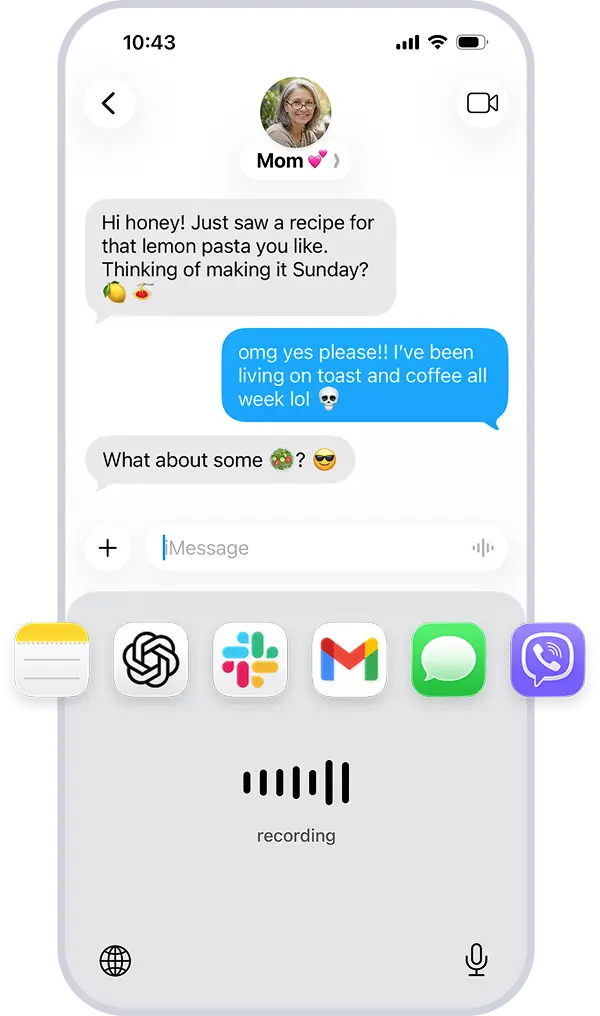
- Voice Typing: Turn your voice into text across apps and workflows.
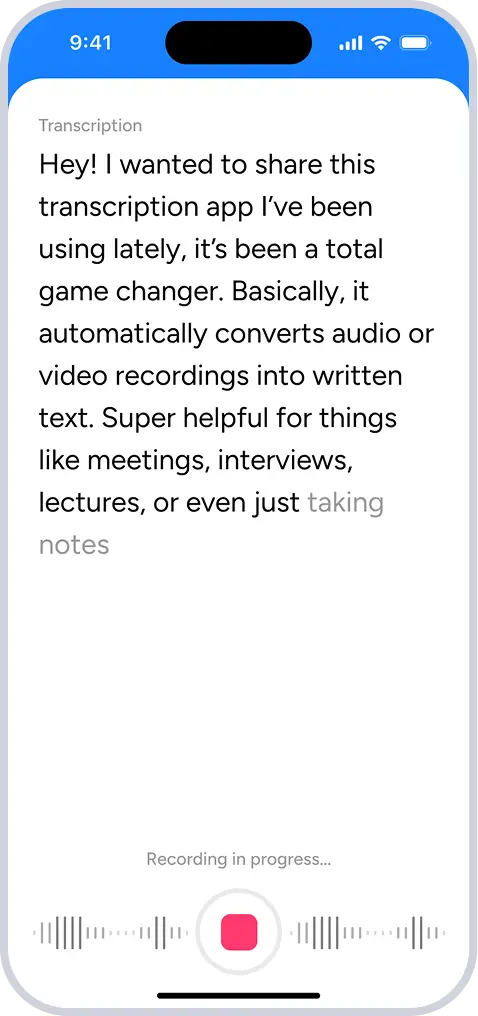
- Smart Scribe: Capture long conversations and get structured, exportable transcripts.
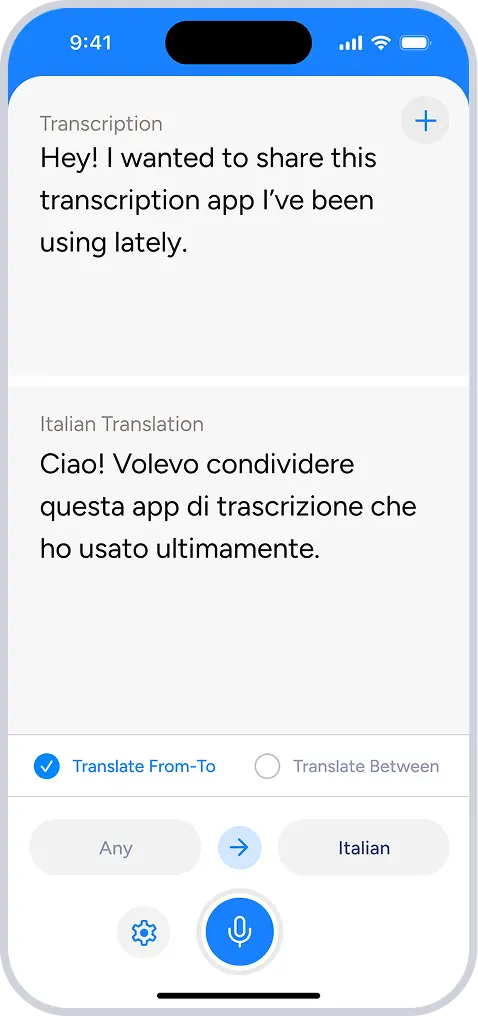
- Translator: Translate speech as it happens across languages.
Truly global language support
Otter.ai currently supports only English, Spanish, French, and Japanese.
Soniox App supports 60+ languages with native-speaker accuracy, enabling transcription, translation, and voice typing for everyday work in real multilingual environments worldwide.
Switch languages mid-sentence
In a global world, we don't always stick to one language. Soniox lets you mix languages in a single sentence without changing any settings.
- Example: "I’ll send the report tonight, pero avísame si necesitas algo más antes de que me vaya."
- Instant recognition: Soniox detects the language switch the moment you speak it.
We own the technology
Unlike tools built on general-purpose or external models, Soniox App runs on proprietary speech AI developed in-house by Soniox.
- Privacy: Your voice data is processed within the Soniox ecosystem. Soniox never stores your audio recordings or uses them to train models.
- Reliability: Soniox App does not rely on outside speech APIs that can go down or change.
- Innovation: Soniox constantly improves it's models based on user feedback, leading to better handling of complex speech across all supported languages.
How Soniox App elevates meeting notes beyond transcription
For multilingual meetings
Capture meeting notes accurately across 60+ languages without switching settings or limiting participants to a single language.
For the meeting leader
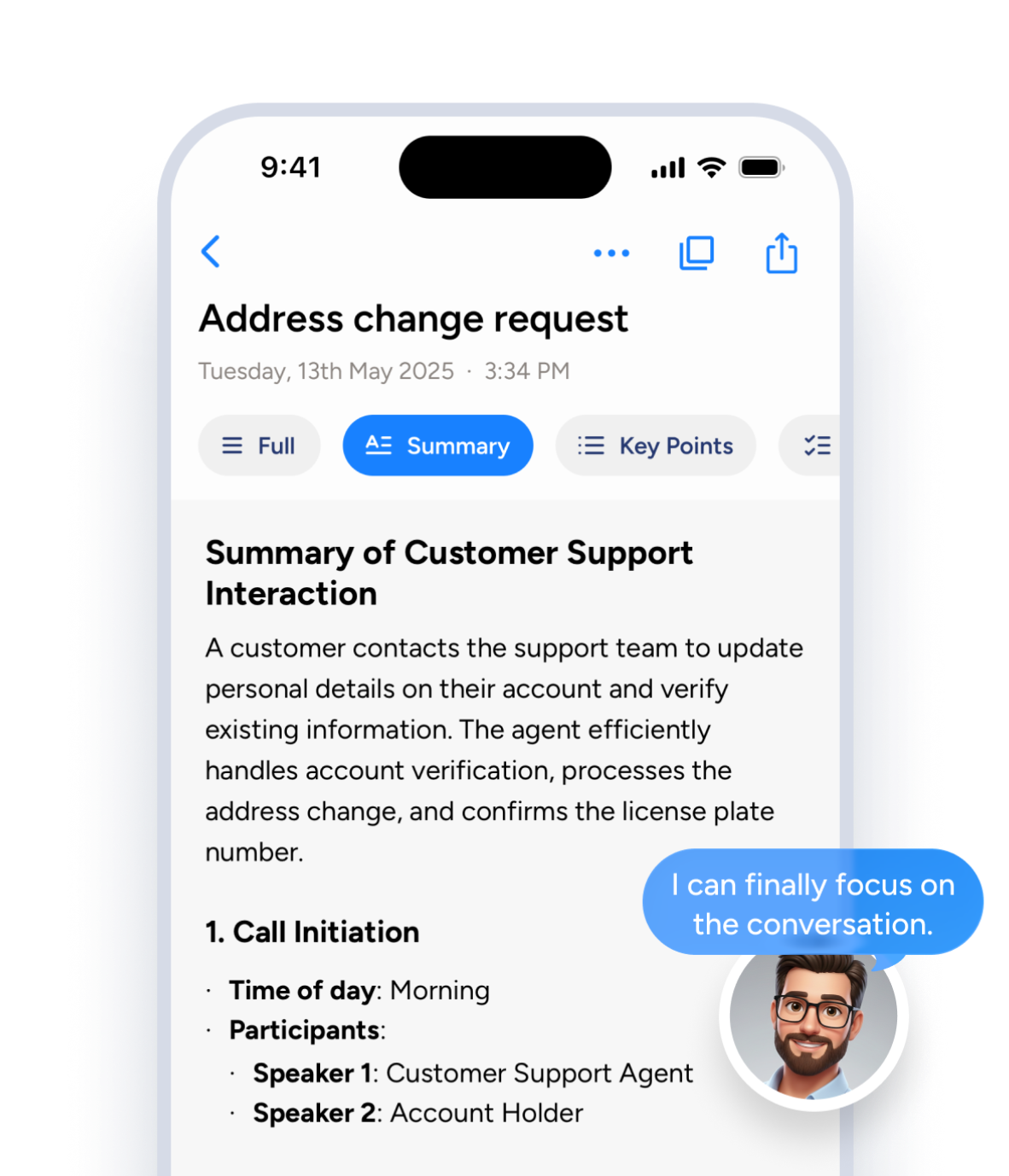
Record the meeting with Smart Scribe, then immediately dictate clear, structured follow-up notes or emails using Voice Typing while decisions and action items are still fresh.
For continuous note-taking
Dictate agendas and prep notes on desktop, capture the meeting itself, and add clarifications or summaries on mobile without breaking your workflow.
How Smart Scribe fits into the Soniox App
Smart Scribe, Translator, and Voice Typing cover three ways people work with speech.
Smart Scribe
Capture and work with conversations
One app. Everything you do with voice in your language.
Get started free
Do more with your voice in 60+ languages with Soniox App.
Download on the App Store
Download for macOS and Windows
Soniox App supports 60+ languages
Frequently asked questions about Soniox App and Otter.ai
Is Soniox App an alternative to Otter.ai?
While Otter.ai focuses primarily on meeting transcription, Soniox App combines meeting notes, live translation, summaries, and voice typing across 60+ languages in a single app.
Does Soniox App support more languages than Otter.ai?
Soniox App supports 60+ languages with native-speaker accuracy for transcription, translation, and voice typing.
Can Soniox App handle multilingual meetings?
It accurately captures conversations where participants speak different languages, without requiring manual language selection.
Can Soniox App switch languages mid-sentence?
You can naturally mix languages while speaking, and Soniox recognizes the switch instantly.
Does Soniox App work with noisy or overlapping speech?
It performs well with background noise, overlapping speakers, and natural conversation—situations where Otter.ai often struggles.
Does Soniox App provide meeting summaries and structured notes?
Is Soniox App only for meetings like Otter.ai?
Soniox App also supports voice typing, long-form dictation, translation, and everyday speech across work, study, and personal communication.
Does Soniox App support voice typing like Otter.ai?
You can dictate text directly into emails, documents, messaging apps, and other workflows—across 60+ languages.
Does Soniox App rely on third-party speech APIs?
This ensures greater privacy, reliability, and continuous improvement without dependence on external providers.
Who should choose Soniox App over Otter.ai?
- Work in multiple languages
- Run or participate in multilingual meetings
- Need more than basic meeting transcripts
- Want voice typing, translation, and summaries in one app