AI engineering
Using MCP, AI assistant, and LLMs with Soniox for AI-powered development
Soniox provides easy-to-use AI tools that help you explore documentation, generate code, and get guidance, even if you're new to programming. These tools work directly with your coding environment, so you can focus on building instead of searching for answers.
With Soniox AI engineering, you can:
- Browse documentation via the MCP server without leaving your coding tools
- Ask the AI assistant for explanations, examples, or code help
- Use LLM context files so AI models understand Soniox APIs and examples
- Copy page content or open it directly in your preferred AI tool
These features reduce friction, help you learn faster, and make working with Soniox APIs simple and efficient.
MCP server
The MCP server lets you access Soniox documentation right from tools like Cursor, Windsurf, or Claude Code. You can search guides, view examples, and explore APIs without switching windows.
Available tools
The Soniox MCP server exposes the following tools to your AI assistant:
Search Soniox documentation by natural-language query. Use this first to find focused pages and headings before reading a page or section.
Inputs
query(string, required) – natural-language search query.limit(integer, optional) – maximum number of results to return (1–10).
Read a specific Soniox documentation page by URL. Accepts relative URLs (e.g. /stt/get-started) and absolute URLs (e.g. https://soniox.com/docs/stt/get-started). Use soniox_search_docs first unless the URL is already known.
Inputs
url(string, required) – page URL to read.
Read one section from a Soniox documentation page by URL plus heading or anchor. Use soniox_search_docs first when the URL or heading is unknown.
Inputs
url(string, required) – page URL to read from.heading(string, optional) – heading text within the page.anchor(string, optional) – anchor identifier within the page.
Get the table of contents for broad Soniox documentation navigation. Use soniox_search_docs for natural-language search instead.
Get a concise overview of Soniox documentation (llms.txt) for background on features, APIs, and concepts. Use soniox_search_docs when looking for a specific answer.
Last resort: get the full content of all Soniox documentation pages (~100k tokens). This is very large — prefer soniox_search_docs, then soniox_read_section or soniox_read_page.
How to set it up
Pick your AI tool below and follow the steps to connect the Soniox MCP server.
Open Cursor settings → Tools & MCPs and click New MCP Server, or edit ~/.cursor/mcp.json directly and add the following entry:
Prefer a one-click install? Use the button below:


Open Claude Desktop and click Customize in the left sidebar.
In the Customize panel, select Connectors.
Click the + button and choose Add custom connector.
Give it a name (for example, Soniox docs) and paste the server URL below:
Open ChatGPT and go to Settings.
Navigate to Connectors → Developer mode.
Click Add MCP server.
Paste the server URL below and click Add:
Codex accepts a remote MCP server through a built-in form — no config file to edit.
Go to Settings → MCP Servers.
Click Add server.
Select Streamable HTTP.
Paste the URL below into the URL field and save:
In Windsurf, open Settings → Cascade → MCP Servers.
Click the gear icon — mcp_config.json opens automatically.
Paste the snippet below into the file and save:
Open Zed's agent panel.
Click the … button at the top-right of the panel, then Add MCP Server.
In the new window, click Remote.
Paste the snippet below and save:
In Antigravity, open the MCP store via the … dropdown at the top of the editor's agent panel.
Click Manage MCP Servers → View raw config.
Paste the snippet below into mcp_config.json and save:
Open Claude.ai settings.
Navigate to Integrations and click Add Integration.
Paste the server URL below and click Connect:
AI assistant
The Soniox AI assistant is available directly from the docs. It can:
- Answer questions about Soniox APIs
- Explain example code or suggest modifications
- Provide guidance in context, so you don't need to guess
Even if you're new to programming, the AI assistant can help you understand code and API workflows quickly.
LLM context files
Soniox provides two files that give AI models context about our APIs and examples:
- llms.txt – core context for general tasks
- llms-full.txt – extended context for advanced workflows
Adding these files to your AI tool ensures the model can provide accurate, context-aware help.
Copy and open buttons
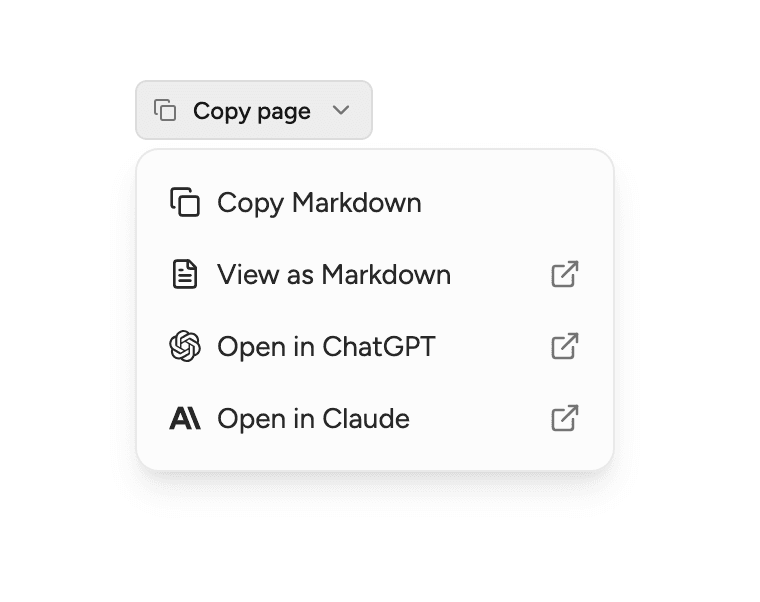
At the top of each documentation page, the Copy page button makes it easy to bring content into your workflow:
- Copy Markdown – copy the full page content instantly
- Open in ChatGPT or Claude – send the page context for live AI interaction
These features help you experiment and learn by bringing examples and documentation directly into your coding environment.
For more information about Soniox products, pricing, or general resources, visit our website.